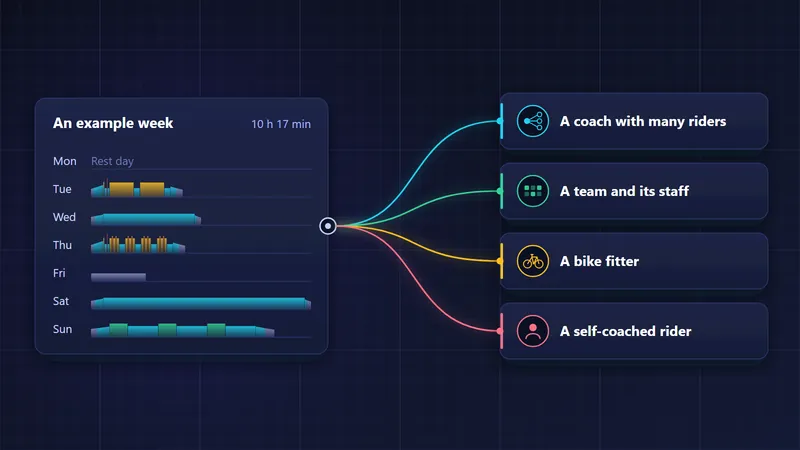
intervals.icu gives riders deep, largely free training analysis. Here is how it works with Velograph: rides in, planned sessions out, and what each one is for.
intervals.icu and Velograph work side by side, so you do not have to choose one. intervals.icu gathers rides from your devices and apps and gives you deep, largely free training analysis. Velograph reads those rides from the files your devices recorded and adds what sits around the training: teams and coaches, bike fitters and physios, the Passport, race plans and consent part by part. Sessions planned in Velograph can go back to your intervals.icu calendar and follow later changes.
What is intervals.icu?
intervals.icu is a training analysis platform that gathers rides from your devices and apps and gives you deep, largely free analysis of every ride and interval. It is the work of David Tinker, a software developer and cyclist based in Cape Town.
He started it in mid-2018 as a side project, first as an analysis tool built on Strava's API, with interval analysis and a training calendar. It has since grown into a standalone platform that collects rides from the major devices and platforms, and a small team now runs it.
Most of it is free. Riders can pay an optional subscription to support the project, which also adds extra features. Bicycling South Africa reported in 2026 that it is available in 23 languages, with most of its users in the United States, France and the UK. It analyses every ride and interval, tracks progress over time, has a training calendar and planner, and lets coaches work with their athletes.
If you already use intervals.icu, keep using it. Nothing in Velograph asks you to move your analysis anywhere else.
What does Velograph add alongside intervals.icu?
Beside intervals.icu's analysis, Velograph adds the people and records around a rider's training. That means teams and clubs, bike fitters, coaches and physios, the Passport, race plans, consent part by part and Ask, rather than a second copy of the same charts.
- Teams and clubs. The squad board shows every rider's readiness, plan against what was ridden, form and coming races, with free staff accounts.
- Bike fitters, coaches and physios. The Studio plan keeps bookings, a client journal, bike fits with diagrams and follow-ups in one place.
- The Passport. Every fit from every fitter lands in the rider's free Passport, which a studio or team can see after the rider says yes on their own phone.
- Race plans. A race plan holds stages for stage races, roles and pacing on the course. It is shared with the riders, and debriefs follow the race.
- Consent part by part. The rider decides whether a team, coach or fitter sees their bikes, fits, rides, history or health.
- Ask. Velograph's AI assistant answers from your own data and proposes sessions, and it is always labelled as AI. With a coach attached, the coach decides what goes on the calendar.
How do I connect intervals.icu to Velograph?
You connect intervals.icu with an API key, a private code that lets Velograph read your account. You generate the key in your intervals.icu settings and paste it on Velograph's Connections tab, which takes about two minutes.
Here are the steps:
- Sign in at intervals.icu, click your name, then Settings.
- Scroll down to Developer Settings and generate an API key. Copy it.
- In Velograph, open the Connections tab on your profile, choose intervals.icu and paste the key.
- The athlete id, which starts with "i", is optional. Velograph finds it for you.
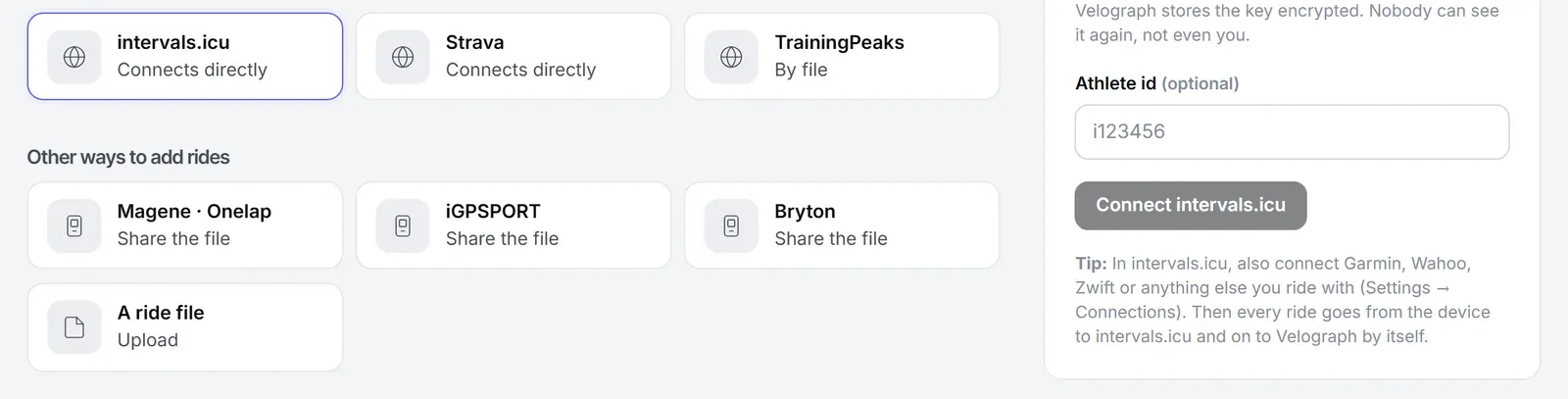
Velograph checks the key with intervals.icu before saving it, so a typo is caught straight away. The key is stored encrypted, and nobody can see it again, not even you. Your recent rides arrive first. Then Velograph imports your whole history from intervals.icu in the background, year by year, so your records and fitness reach back to your first ride. After that, new rides and wellness data come in by themselves every hour, and Sync now fetches them sooner.
One tip makes it run by itself: in intervals.icu, connect the devices and apps you ride with, under Settings and then Connections. Every ride then travels from your device to intervals.icu and on to Velograph by itself.
How does Velograph read rides from intervals.icu?
Where intervals.icu keeps the original FIT, GPX or TCX file of a ride, Velograph downloads that file and works out every number from it: power, heart rate, times, distance, climbing and the laps your device recorded.
What you entered on intervals.icu stays as you wrote it: the ride's name, your notes, how hard it felt and whether it was a race. A ride without a file, such as one entered by hand, comes from intervals.icu's data instead.
Velograph also works out its own fitness, power curve and records, the same way for rides from every source. Small differences from the charts in intervals.icu are normal, because each platform uses its own models and settings.
Can Velograph send planned sessions to intervals.icu?
Yes. The Send to intervals.icu button on Velograph's calendar puts the published sessions of the weeks you are looking at onto your intervals.icu calendar. After that they stay in step. Move a session to another day, change it or delete it in Velograph, and it changes on intervals.icu too.
Your sessions may be planned in Velograph by you, with Rider Plus, or by your coach or team. Sessions from Velograph's own library of sessions, tests and blocks go the same way, and so do sessions that Ask proposed and a person added to the calendar. The guide to structured training plans shows how to build the sessions in the first place.
Can coaches use intervals.icu and Velograph together?
Coaches can keep analysing their athletes' files in intervals.icu and use Velograph for the work around that analysis. The two work side by side, so a coach does not have to choose one.
In Velograph, the coach's desk has an approvals inbox, AI readings held for the coach before a coached rider sees them, and a weekly digest of who needs attention. Clients' bikes and fits come with them through the Passport, if the rider agrees. The article on cycling coaching software goes through a coach's week in detail.
Getting started
The Rider plan is free and never expires. It holds every bike, every fit and your rides from intervals.icu and Strava, or as FIT files. If your history lives in Strava or Garmin Connect, you can bring it in as well with an account export; importing your cycling history shows how. The free cycling app guide covers the rest of the Rider plan, and pricing lists what Rider Plus, Studio and Team add. Connect intervals.icu once and start for free.
Further reading
- About intervals.icu, intervals.icu, 2026.
- The local coder changing the training game, Bicycling South Africa, 2026.
Velograph is not affiliated with, sponsored by or endorsed by any team, rider or company named in this article. Names are used only to refer to publicly reported work.