Motion capture measures the rider. A studio also needs bookings, notes, fit records, reports and follow-ups. A checklist for choosing the rest.
Bike fitting software comes in two kinds. Capture and sizing tools measure the rider and the bike during the session. Studio software runs everything around the session: bookings, client notes, fit records, reports and follow-ups. Most established studios already own a good capture tool. The gaps are usually in the second kind, where the work still lives in spreadsheets, paper sheets and old emails.
What do capture and sizing tools do in bike fitting?
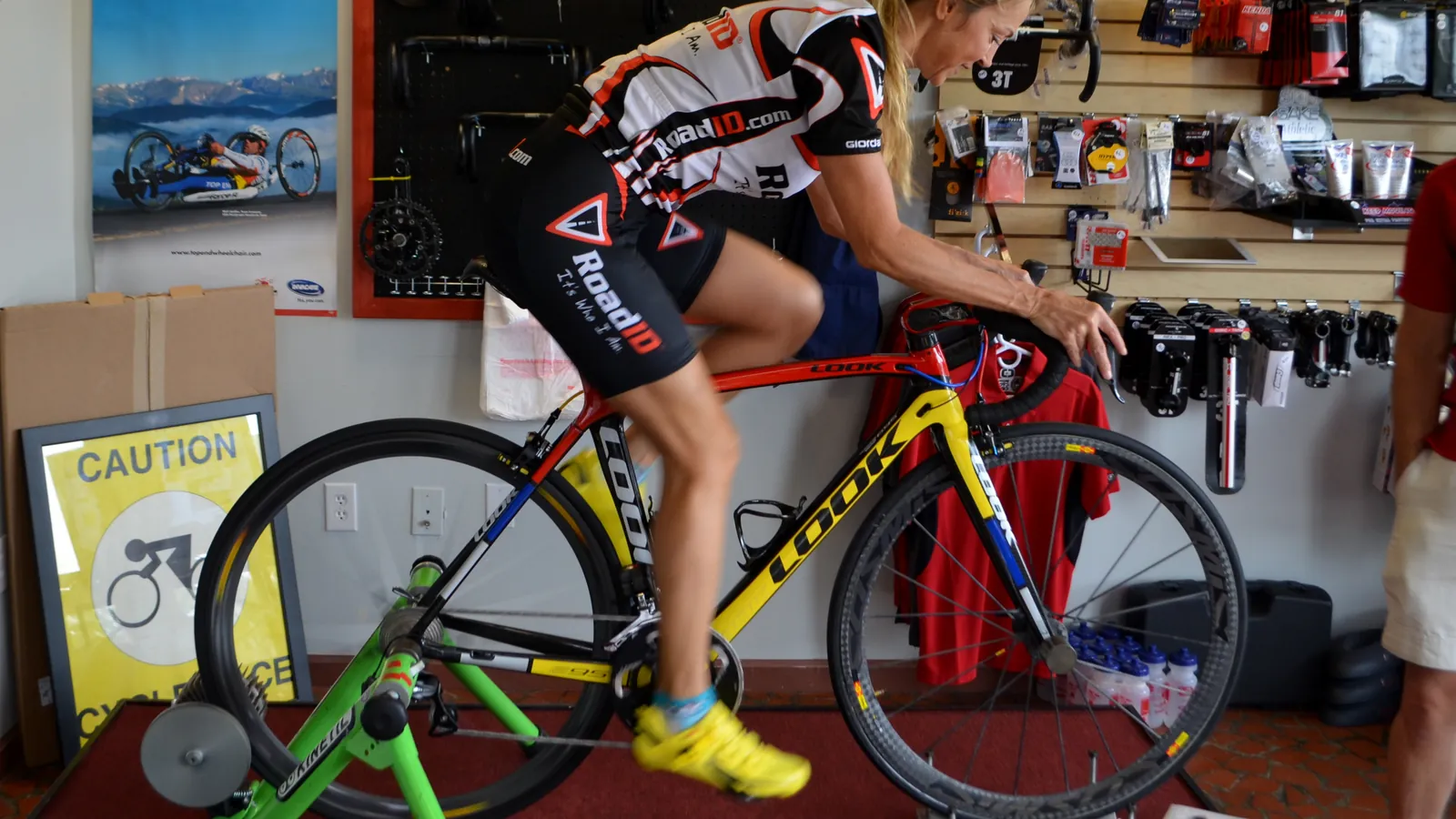
Capture and sizing tools measure the rider and the bike during the session, to answer where this rider should be on this bike. The measuring side of bike fitting has excellent specialists, and a studio should choose them on their own merits.
- Retül tracks LED markers on eight anatomical points with its Vantage motion capture system, which records three-dimensional data from each pedal stroke. Its Zin tool maps the finished bike set-up for the rider's report.
- BIKEFITTING.COM, part of Shimano, offers a fit bike that reproduces positions from a database of bikes, 3D motion analysis for a dynamic fit, and tools for cleat adjustment and saddle selection.
- Pressure mapping specialists such as gebioMized measure how load spreads across the saddle, the feet and the arm pads. Our article on saddle pressure mapping explains what those maps show.
- MyVeloFit uses AI to analyse a video riders record of themselves pedalling, with plans for riders and for fitters.
These tools focus on the measurement. The work before and after the session is a different job, and many studios still do it with a mix of calendars, notebooks and email.
Where does a bike fitting studio's time go?
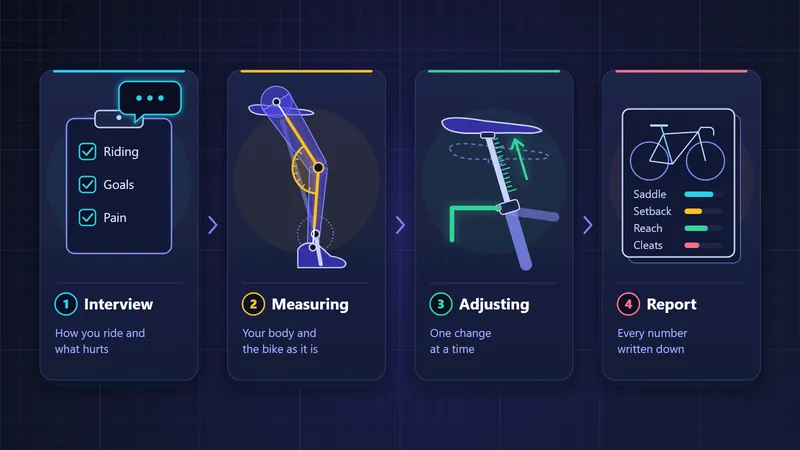
Most of a bike fitting studio's time goes on work away from the fit bike, such as bookings, client history, notes, reports, bike set-up and follow-ups. The table follows one client through a studio, with what goes wrong at each stage without a system.
| Stage | The job | What goes wrong without a system |
|---|---|---|
| Before | Booking the right service for the right length of time | Double bookings, a two-hour fit squeezed into a one-hour slot |
| Before | Collecting history, goals and complaints | The same questions asked again at every visit, and the answers lost in between |
| During | Recording measurements, changes and reasons | Numbers without units, changes without reasons |
| After | Writing the note and the client report | Notes written days later from memory, or not at all |
| After | Getting the bike set up to the new fit | A mechanic working from a photo of a whiteboard |
| Weeks later | Checking how the new position feels | No follow-up, so a small problem becomes a lost client |
| Next year | A new bike, a yearly check | Starting again from zero because last year's sheet is lost |
None of these jobs is hard on its own. Together they make the difference between a studio that runs smoothly with three fitters and a physio, and one that runs only while the owner remembers everything.
How do you choose bike fitting studio software?
Choose bike fitting software by asking how it handles bookings, notes, measurements, fit history, reports, follow-ups, data ownership and hosting, and whether it works beside the capture tool you already own. Ask these questions of any system before you move your studio onto it. The first five are about the daily work.
- Does the calendar know your services and how long each one takes, and does a booking open the client's record?
- Can you write notes quickly, in a set structure, and dictate them?
- Does every measurement have a unit and a fixed method, and are impossible values refused?
- Is a new fit saved as a new record, so the history shows what changed and when?
- Can you show the position as a side-view diagram that the client and the mechanic can both read?
The next five are about your clients and their data.
- Does it produce a client report with your studio's name on it?
- Does it schedule follow-ups, and compare the answers with the complaints from before the fit?
- Who owns the record? Can the client take it with them, and can a new client bring one in?
- Where is the data hosted, and how are notes about pain and injury protected?
- Does it work beside the capture tool you already own, or does it ask you to replace it?
The last question matters most to a studio that has invested in capture hardware. Studio software should take the numbers that hardware produces, not compete with it.
How Velograph Studio works beside your capture tool
Velograph's Studio plan covers the work around the session. You keep measuring with the tools you trust, and record the results in Velograph.
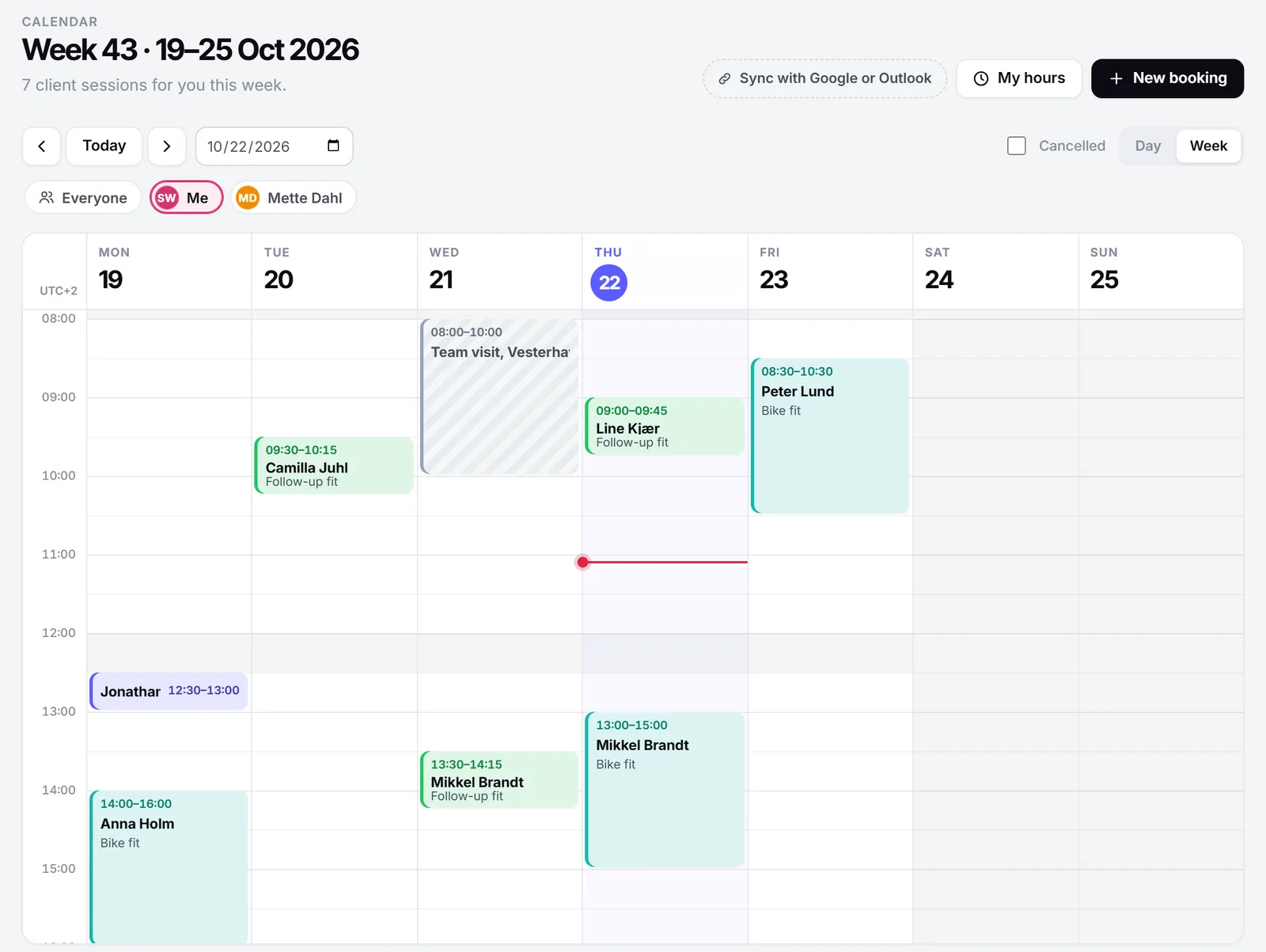
Calendar and bookings. Set up your services with their length and colour, such as a two-hour fit or a 45-minute follow-up. See one practitioner's week, or a day with every practitioner side by side. Click an empty slot to book it and drag a booking to move it. A booking opens the client's record, and "Start session" opens their journal with dictation ready.
Client journal with dictation. Notes start from headings fitters already use, and you can dictate them straight after the session. Our guide to bike fitter client notes shows what to record and how the journal works.
Fits with diagrams. A fit records the saddle, the cockpit, cranks and pedals, shoes and cleats, the time trial position, the rider's measurements and the joint angles from your capture session. Every number has a unit and a plausible range. A new fit is a new record, so the history shows what changed and when. A mechanic marks the fit as done on the bike, and the studio's Today page lists the bikes still waiting. The side-view diagram draws the position to scale with its dimension lines, colours the changes and dashes the previous position.
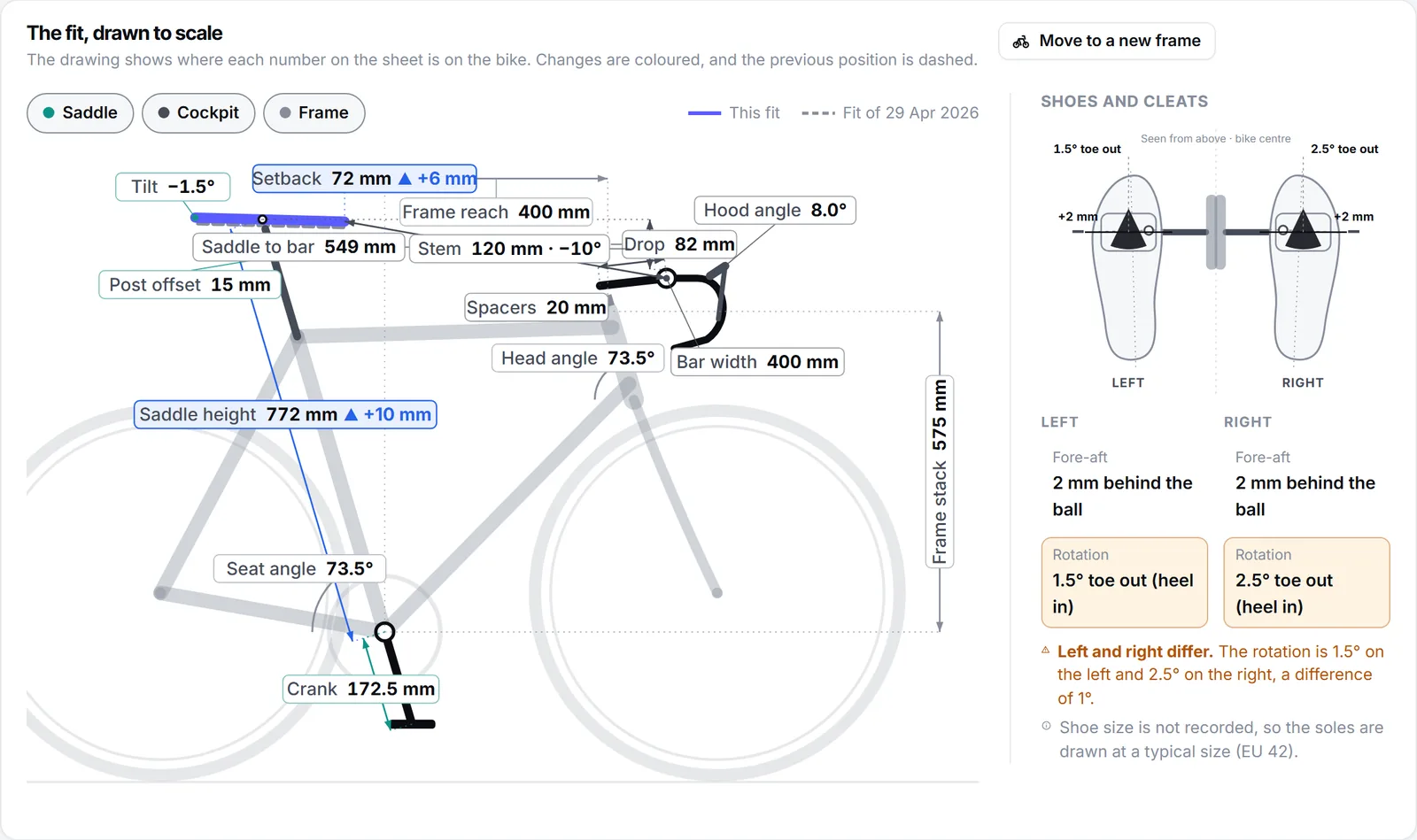
A new frame. From the new frame's stack, reach and head tube angle, Velograph lists the stem and spacer combinations that come closest to putting the handlebar where it was.
Follow-ups and reports. Check-ins at two and six weeks are suggested with every fit, and the client answers on their phone. Client reports print with your logo and contact details. Our article on bike fit follow-up covers both.
AI, clearly labelled. The Studio plan includes AI. Ask, Velograph's AI assistant, answers from the client's own record, and everything it writes is labelled as AI.
Should a fitting studio let clients keep their fit records?
Yes, letting clients keep their own record works in the studio's favour in two ways. Clients come back to the fitter who knows their history, and new clients arrive with their history too.
Every fit you record in Velograph is saved in the client's free Passport, and the client keeps it when they change fitter or team. That can sound like a risk for the studio. Yet clients trust a studio that lets them keep their own record.
When a client already has a Passport, you scan the QR code on their card and they answer on their own phone. Once they say yes, you see the parts they agreed to share, such as their bikes and earlier fits, before you start. Read more about the bike fit passport.
Trying it in your studio
The Studio plan is for bike fitters, coaches and clinics, from one practitioner to a whole practice. It is priced per practitioner, with unlimited clients, and the details are on the pricing page. You can start for free: studios try it with everything switched on, and no card is needed.
Velograph is not affiliated with, sponsored by or endorsed by any team, rider or company named in this article. Names are used only to refer to publicly reported work.